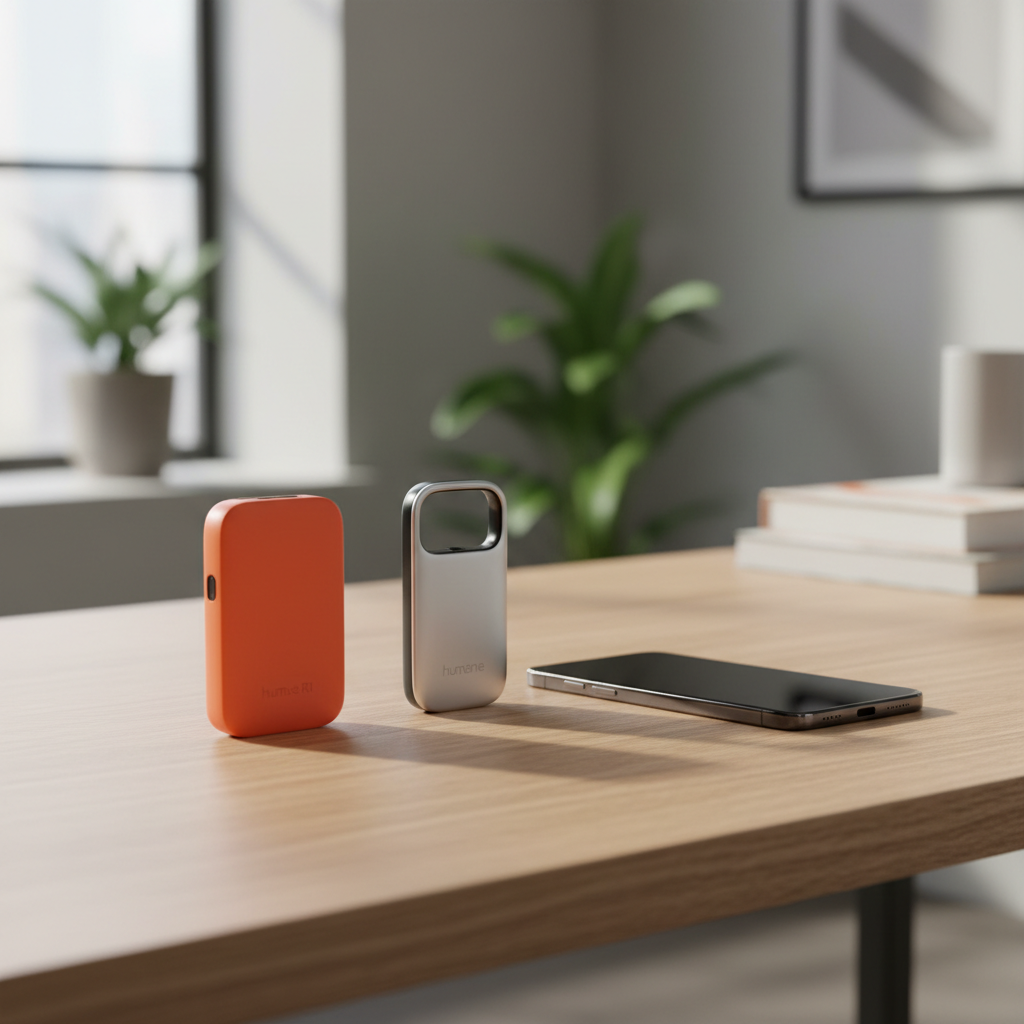
The Promise of the Post-Smartphone Era
Earlier this year, the tech world was buzzing. Two sleek devices promised to liberate us from the glowing rectangles that dominate our lives. The Humane AI Pin and the Rabbit R1 weren’t just new gadgets; they were marketed as the end of the “app era.” No more digging through folders, no more mindless scrolling, and no more notification fatigue. The pitch was simple: talk to a tiny box, and it will do the work for you.
Fast forward a few months, and the honeymoon phase is over. The YouTube reviews were brutal, the software updates have been relentless, and the early adopters are divided. I spent 30 days carrying these devices alongside my phone—and occasionally instead of it—to see if they qualify as best online tools for the average person or if they are just expensive paperweights. What follows is a cold, hard look at how these AI handhelds perform when the marketing smoke clears.
Day 1 to 7: The Learning Curve and the “Cool” Factor
The first thing you notice about the Humane AI Pin is the craftsmanship. It feels like a piece of jewelry, heavy and premium. The Rabbit R1, by contrast, feels like a playful toy designed by Teenage Engineering. It’s light, bright orange, and has a tactile scroll wheel that feels satisfying to click.
In the first week, the novelty is high. You find yourself asking silly questions just to see if the AI can keep up. “What’s the weather?” “Who won the game last night?” “Translate ‘where is the nearest taco stand’ into Japanese.” Both devices handle these basic queries with ease. However, the friction starts when you move beyond trivia. The Humane AI Pin uses a “Laser Ink Display” that projects onto your hand. It looks like something out of Minority Report, but in bright sunlight, it’s virtually invisible. I found myself squinting at my palm like I was reading a faded treasure map.
The Rabbit R1’s “Large Action Model” (LAM) was supposed to be the killer feature. The idea is that the device doesn’t just talk; it acts. It was meant to book your Ubers, order your DoorDash, and manage your Spotify. In week one, I successfully played one song on Spotify. The next five attempts ended in various error messages or the device telling me it “didn’t have permission” yet. This is where the reality check begins.
Real-World Utility: Can They Actually Replace a Phone?
To be blunt: No. Not even close. During my month-long test, the AI handhelds functioned more like a voice-activated remote for a subset of my phone’s features rather than a replacement. Let’s break down the core categories of daily use.
Communication and Connectivity
If you want to send a text message using the Humane AI Pin, you tap, hold, and speak. It works surprisingly well for short bursts. However, reading a text back is an exercise in patience. You have to wait for the laser to warm up, tilt your hand just right, and navigate the menus. On a smartphone, this takes two seconds. On the Pin, it takes fifteen.
The Rabbit R1 doesn’t even have a native messaging app in the traditional sense yet. It’s mostly a standalone portal. If you’re a student looking for online tools for students, you might find the voice-to-text recording and summarization features useful for lectures. I used the R1 to record a 20-minute meeting, and the summary it generated was actually quite decent—it captured the key action items and saved them to a web-based “Rabbit Hole” dashboard.
Navigation and Location Services
This is where things got dangerous—literally. I tried using the AI Pin for walking directions in downtown Chicago. It gave me audio cues: “Turn left in 200 feet.” Without a map to look at, I felt disconnected from my surroundings. I missed a turn because the device lagged, and I ended up staring at my palm while walking into a crowded intersection. Smartphones are designed for visual confirmation, and removing that visual layer for navigation feels like a step backward in safety and efficiency.
The Comparison Table: Rabbit R1 vs. Humane AI Pin
To help visualize the trade-offs, here is a quick breakdown of how they stack up after 30 days of consistent use.
- Price: Rabbit R1 is $199 (one-time). Humane AI Pin is $699 + $24/month subscription.
- Battery Life: Both are poor. The R1 rarely lasted me until 4 PM. The AI Pin comes with extra battery “boosters,” but it still gets uncomfortably hot against your chest.
- Speed: The R1 feels snappier for voice queries. The Pin has significant “thinking” lag.
- Privacy: The Pin has a “Trust Light” to show when it’s recording. The R1 has a physical camera shutter that points down by default.
- Ecosystem: Both are currently “walled gardens” trying to build bridges to the apps you actually use.
The Frustration of the “App-Less” Promise
The biggest marketing hook for these devices was the “Large Action Model” (LAM) and the “Screenless” experience. The promise was that AI could navigate websites for you. In reality, modern websites are complex and full of bot-detection scripts. When I asked the Rabbit R1 to research “best websites for daily use for productivity,” it gave me a generic list sourced from a search engine. It didn’t actually “navigate” anything more deeply than a standard ChatGPT query would.
For business owners searching for online tools for business, the current state of AI handhelds is underwhelming. You can’t comfortably manage a Slack channel, you can’t edit a spreadsheet, and you certainly can’t handle a Zoom call effectively. These are companion devices for people who have $200-$700 to burn and want to feel like they are living in the future, even if that future is currently broken.
Battery Life: The Silent Killer
In 30 days, my most frequent interaction with both devices was plugging them into a charger. We have become accustomed to the 24-hour battery life of modern iPhones and Pixels. The Rabbit R1 and Humane AI Pin hark back to the early days of 3G smartphones where you had to carry a power bank everywhere.
I took the Rabbit R1 on a day trip. By 2 PM, after maybe 10 voice queries and a few photos, it was at 12%. When a device is designed to be your primary interface, it cannot die before the sun goes down. The Humane AI Pin attempts to solve this with a battery system that lets you hot-swap magnets, but the device itself gets so hot during intensive tasks that it occasionally shuts down to cool off. Wearing a hot piece of metal on your chest is not exactly the “seamless” experience promised in the keynote.
Where Do These Devices Shine?
It isn’t all bad news. There were moments during the 30-day trial where I saw the potential.
1. Voice Transcription: Both devices are excellent for “thinking out loud.” If you are a writer or an entrepreneur who gets ideas while driving, the AI Pin is a fantastic hands-free note-taker. It captures your voice and organizes your thoughts into a cloud-synced dashboard better than most free online tools currently available on your phone.
2. Foreign Language Translation: The Rabbit R1’s translation mode is genuinely useful. It’s fast, and the dual-sided UI makes it clear who should be talking. It felt more natural than handing a phone back and forth in a noisy market.
3. Visual Identification: Seeing something and asking “What is that?” actually works sometimes. I pointed the R1 at a strange plant in the park, and it correctly identified it as a Monstera Deliciosa (Swiss Cheese Plant) and gave me care instructions. It’s a niche use case, but it feels magical when it works.
The Software Problem: Are We Moving Too Fast?
The “Move fast and break things” mantra of Silicon Valley is on full display here. Both Humane and Rabbit are shipping software updates almost weekly. This is great for fixing bugs, but it means the user experience changes constantly. One day a command works; the next day it doesn’t.
Reliance on the cloud is the Achilles’ heel. If you are in an area with poor 5G or LTE reception, these devices become paperweights. Unlike a phone, which can store data locally or run some apps offline, these AI pucks are essentially thin clients for an LLM (Large Language Model) living on a server thousands of miles away. The latency kills the “conversational” feel. You ask a question, wait five seconds, see a “thinking” animation, and then get an answer. In those five seconds, I could have pulled out my phone, used FaceID, and found the answer myself.
Is There a Future for These Gadgets?
After 30 days, I put both devices in my desk drawer. I didn’t feel a sense of loss—I felt a sense of relief. I moved back to using a curated list of the best online tools on my smartphone because they are reliable.
However, I don’t think the category is dead. We are currently in the “PDA” phase of AI hardware. Remember the Palm Pilot? It wasn’t a smartphone, but it paved the way for it. The Rabbit R1 and Humane AI Pin are expensive experiments that are teaching developers how humans want to interact with AI. We want less screen time, but we still need the utility of a visual interface. We want voice control, but we need it to be instantaneous.
The Final Verdict
If you are an enthusiast who wants to contribute to the development of a new product category, the $199 for the Rabbit R1 is a relatively cheap ticket to the show. You get to see the updates roll in and offer feedback. But if you are looking for a reliable tool to increase your productivity or simplify your life, stay away for now.
The hardware is beautiful, the vision is bold, but the execution is nowhere near ready for prime time. For the price of a Humane AI Pin and its subscription, you could buy a high-end smartphone that does everything the Pin does, only faster, with a better camera, and a battery that lasts all day. The AI “revolution” is definitely happening, but for 2024, it’s still living inside our phones, not in a dedicated orange box or a magnetic pin.
The most useful technology is the technology that disappears into your life. Right now, these AI handhelds do the exact opposite—they demand your constant attention, your patience, and a charger. Until the “Action” part of the Large Action Model becomes 99% reliable, these will remains novelties rather than staples in our digital diet.
Frequently asked questions
Is an AI handheld better than a smartphone?
Currently, most AI handhelds have poor battery life (4-6 hours) and struggle with complex apps. Most users will find their existing smartphones significantly more capable for daily tasks.
How much do these devices cost?
The hardware for the Rabbit R1 is $199 with no subscription. The Humane AI Pin is $699 plus a $24 monthly subscription. In terms of value, the Rabbit R1 is less of a financial risk.
Which one is better: Rabbit R1 or Humane AI Pin?
The Humane AI Pin is better for hands-free queries and transcription, while the Rabbit R1 is aimed at ‘action’—though the execution is still buggy. Both currently feel like beta products.
Are AI handhelds private?
Privacy is a major concern. The AI Pin has a laser display and always-listening microphones (activated by touch), while the Rabbit R1 has a physical scroll wheel and a rotating camera. Both upload data to the cloud for processing.