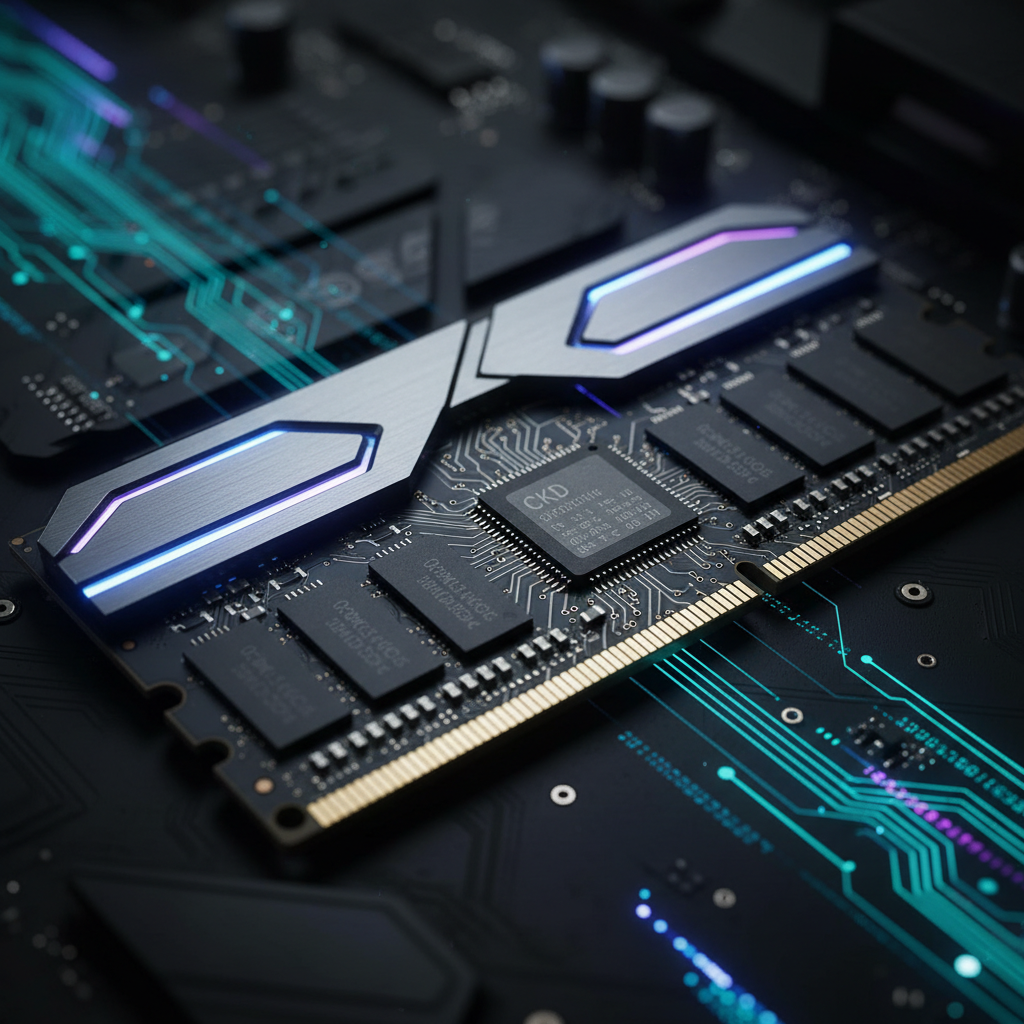
The New Era of High-Speed Memory
Memory technology usually moves at a predictable, incremental pace. We saw the jump from DDR4 to DDR5, which brought higher base speeds and lower power consumption. However, as we push toward the limits of the DDR5 specification, a physical bottleneck has emerged. When you try to push RAM frequencies past 6400MT/s or 7200MT/s, electrical signals start to get “noisy.” This noise leads to system instability, the dreaded Blue Screen of Death (BSOD), and corrupted data.
Enter CUDIMM (Clocked Unbuffered Dual In-line Memory Module). This isn’t just a marketing buzzword or a fancy heat spreader. It represents a fundamental shift in how memory handles timing. If you are planning a high-end PC build in 2025, specifically one centered around the latest Intel or AMD enthusiast platforms, CUDIMM is the acronym you need to memorize. It is the bridge that allows consumer PCs to cross the 9000MT/s threshold, a feat previously reserved for professional overclockers using liquid nitrogen.
What Exactly is CUDIMM DDR5?
To understand CUDIMM, we first need to look at what it replaces: the standard UDIMM (Unbuffered DIMM). In a traditional UDIMM setup, the memory controller inside your CPU sends a clock signal directly to the RAM chips. As speeds increase, that signal weakens and becomes distorted by the time it travels across the motherboard traces and into the memory modules. This is technically known as signal degradation.
A CUDIMM solves this by integrating a Client Clock Driver (CKD) directly onto the memory module itself. Think of the CKD as a signal booster or a relay runner. Instead of the CPU trying to scream instructions across a crowded room, it speaks to the CKD, which then regenerates and cleans up that signal before passing it to the actual memory chips. By regenerating the clock signal locally on the stick, CUDIMM maintains pin-sharp timing even at extreme frequencies.
This technology was heavily inspired by registered memory (RDIMM) used in servers, but it has been stripped down and optimized for the low-latency needs of gaming and consumer workstations. It effectively removes the “top speed” ceiling that has plagued early DDR5 kits.
The Role of the CKD (Clock Driver)
The CKD is the heart of the CUDIMM revolution. In standard DDR5 sticks, the clock signal is distributed in a “fly-by” topology. As the signal passes each chip, it loses a little bit of its integrity. Once you reach speeds like 8400MT/s, the margins for error are so thin that even a tiny amount of interference causes a crash. The CKD acts as a local buffer. It receives the system clock from the CPU and re-drives it, ensuring every chip on the stick gets a perfect, synchronized signal at the exact same moment. For those researching deep technical specs, technical forums often top the best websites for daily use for keeping up with hardware shifts.
Why 2025 is the Year of CUDIMM
While the concept of clocked memory has existed in the enterprise space for years, 2025 marks its debut in the consumer mainstream. This shift is driven by the release of the Intel “Arrow Lake” (Core Ultra 200 series) processors and the latest high-end motherboards from ASUS, MSI, and Gigabyte. These platforms are the first to fully support and leverage the CKD on CUDIMM modules.
Manufacturers like G.Skill, Corsair, and TeamGroup have already begun shipping kits rated for 9200MT/s and 9600MT/s. Using best online tools and free online tools to compare benchmark data, early testers are seeing significant improvements in memory-sensitive workloads. For the average user, standard DDR5 is still plenty, but for those pushing the envelope, CUDIMM is becoming the mandatory standard for “stability at speed.”
Performance Impact: Gaming and Productivity
Does a 9000MT/s RAM kit actually make your games faster? The answer is nuanced. If you are playing at 4K resolution, you are likely GPU-bound, meaning your graphics card is the bottleneck, not your RAM. In this scenario, the jump from 6000MT/s to 9000MT/s might only net you a 1-2% increase in frames per second.
However, the story changes at 1080p or 1440p using a high-end card like an RTX 4090 or the upcoming 50-series. In these cases, the CPU often has to wait for data from the RAM. Faster memory reduces this latency. In CPU-intensive titles like Cyberpunk 2077 or Microsoft Flight Simulator, CUDIMM can improve 1% low frame rates significantly. This results in a much smoother experience with fewer stutters, even if the “average” FPS doesn’t skyrocket.
For productivity, CUDIMM shines in specific areas:
- Large-scale 3D rendering: Faster data throughput allows textures and assets to load into memory quicker.
- Video editing: Scrubbing through 8K timelines requires massive bandwidth.
- Local AI Workloads: Running Large Language Models (LLMs) or Stable Diffusion locally on your PC relies heavily on memory speed.
Compatibility: Will it Fit Your Current Build?
This is the catch. Even though CUDIMM uses the same 288-pin physical layout as standard DDR5, it is not a “plug and play” upgrade for older systems. To use the CKD features, your motherboard BIOS and CPU memory controller must be designed to communicate with that specific driver.
If you put a CUDIMM stick into an older Z790 or B760 motherboard (designed for 12th, 13th, or 14th Gen Intel), the system might boot, but it will likely bypass the clock driver and run at much lower “JEDEC” speeds (usually 4800MT/s or 5600MT/s). To get the high-frequency benefits, you need a motherboard specifically validated for CUDIMM. You can often find a useful websites list on enthusiast subreddits to double-check motherboard QVL compatibility before purchasing.
The Overclocking Potential
For the overclocking community, CUDIMM is a dream come true. Previously, achieving 8000MT/s required “winning the silicon lottery”—you needed a perfect CPU, a high-end 2-slot motherboard, and a very expensive RAM kit. CUDIMM democratizes these speeds. Because the memory stick handles its own signal integrity, the stress on the CPU’s internal memory controller (IMC) is slightly reduced in certain aspects, though it still has to handle the high raw frequency.
We are already seeing “XMP” profiles (Intel’s easy one-click overclocking) that reach 9000MT/s out of the box. This means an enthusiast who doesn’t want to spend hours tweaking voltages in the BIOS can now buy a kit, enable one setting, and enjoy world-record-level speeds with daily stability.
CUDIMM vs. CAMM2: Which Should You Choose?
While we are discussing the future of RAM, we have to mention CAMM2 (Compression Attached Memory Module). This is another new standard appearing in high-end laptops and some desktop boards.
- CUDIMM is for traditional slots. It is best for desktops where you want to swap sticks easily and push for the absolute highest frequencies.
- CAMM2 is a flat, horizontal power-pad design. It is superior for space-saving in thin laptops and theoretically offers even better signal integrity than CUDIMMs, but it is much harder to upgrade and requires a specific motherboard layout.
For most desktop builders, CUDIMM will be the path forward for the next 3 to 5 years.
Does Your Next PC Need It?
Building a new PC is always a balancing act between budget and future-proofing. Whether you need CUDIMM depends entirely on your use case.
The “Yes” Category
You should opt for CUDIMM if you are building an flagship gaming PC with an Intel Core Ultra 9 or Ryzen 9 processor. If you plan on keeping this PC for 5+ years, starting with a 10,000MT/s-capable platform ensures you won’t be bottlenecked as software becomes more demanding. This performance boost is also relevant when running demanding online tools for business or complex calculation software that requires high-speed data access.
The “No” Category
If you are building a mid-range PC for 1440p gaming or general office work, CUDIMM is overkill. Standard DDR5 at 6000MT/s (CL30) is currently the “sweet spot” for price and performance. Spending an extra $150 on CUDIMM RAM would be better spent upgrading your GPU or buying a larger NVMe SSD. For students looking for online tools for students to help with research and organization, the speed of your RAM won’t change your academic success, but a reliable system will.
The Cost Factor
Expect to pay a premium. Because CUDIMMs require an extra chip (the CKD) and higher-quality PCB layers to handle 9000+ MT/s, these kits are currently 30% to 50% more expensive than standard high-performance DDR5. As volume increases throughout 2025, prices will drop, but it will remain an “enthusiast grade” product for the foreseeable future.
The tech industry is clearly moving toward active components on the memory modules themselves. CUDIMM is just the first step in making our PCs smarter and more capable of handling the massive data loads required by modern AI and ultra-realistic gaming. If you want to be on the cutting edge, your next motherboard better have CUDIMM support. If you just want to play games without breaking the bank, standard DDR5 has a lot of life left in it.
Watch for reviews as the Intel Z890 platform matures. The real-world difference between 8000MT/s and 9600MT/s is often found in minimum frame rates and system responsiveness—things that don’t always show up in a simple graph but feel much better during a long gaming session. Make sure your cooling solution is up to the task as well, because high-frequency RAM generates more heat than the kits of yesteryear.
Frequently asked questions
What does CUDIMM stand for?
CUDIMM stands for Clocked Unbuffered Dual In-line Memory Module. Unlike standard RAM, it includes a dedicated clock driver on the chip to maintain signal integrity at ultra-high frequencies.
Is CUDIMM backward compatible with older DDR5 motherboards?
No. While CUDIMMs use the DDR5 physical connector, they require processor and motherboard support (like Intel Core Ultra 200 series) to utilize the clock driver functionality. Older boards may not boot or will downclock the RAM.
How much faster is CUDIMM compared to standard DDR5?
Standard DDR5 usually hits a ‘wall’ around 7200-8000MT/s due to signal degradation. CUDIMM is designed to scale comfortably past 9000MT/s and eventually reach 10,000MT/s and beyond.
Does the average user need CUDIMM?
Generally, no. CUDIMM is a premium enthusiast product. Gamers who play at 4K or users doing basic productivity will see negligible gains. It is specifically for competitive overclockers and high-frame-rate 1080p/1440p gaming.