The Great AI Hardware Experiment: Ambition vs. Reality
In early 2024, the tech world was buzzing with a singular promise: the “Post-Smartphone Era.” We were told that the glowing rectangles in our pockets were distractions, and that dedicated AI hardware—sleek pins, handheld neon boxes, and smart glasses—would liberate us. Fast forward a few months, and the reality looks far grimmer for these newcomers. Devices like the Humane AI Pin and the Rabbit R1 arrived with massive hype and left with lukewarm (at best) reviews.
The core question isn’t just whether these specific devices are buggy. It is deeper: Can a dedicated piece of hardware ever outperform the AI capabilities of the iPhone or high-end Android devices? As we examine the performance metrics, latency, and utility, we see a clear divide between the hardware visionaries and the software giants. While enthusiasts search for the useful websites list that might help them integrate these tools into their workflow, the average user is finding that their phone already does the job better, faster, and for “free.”
The Contenders: Rabbit, Humane, and the App Store
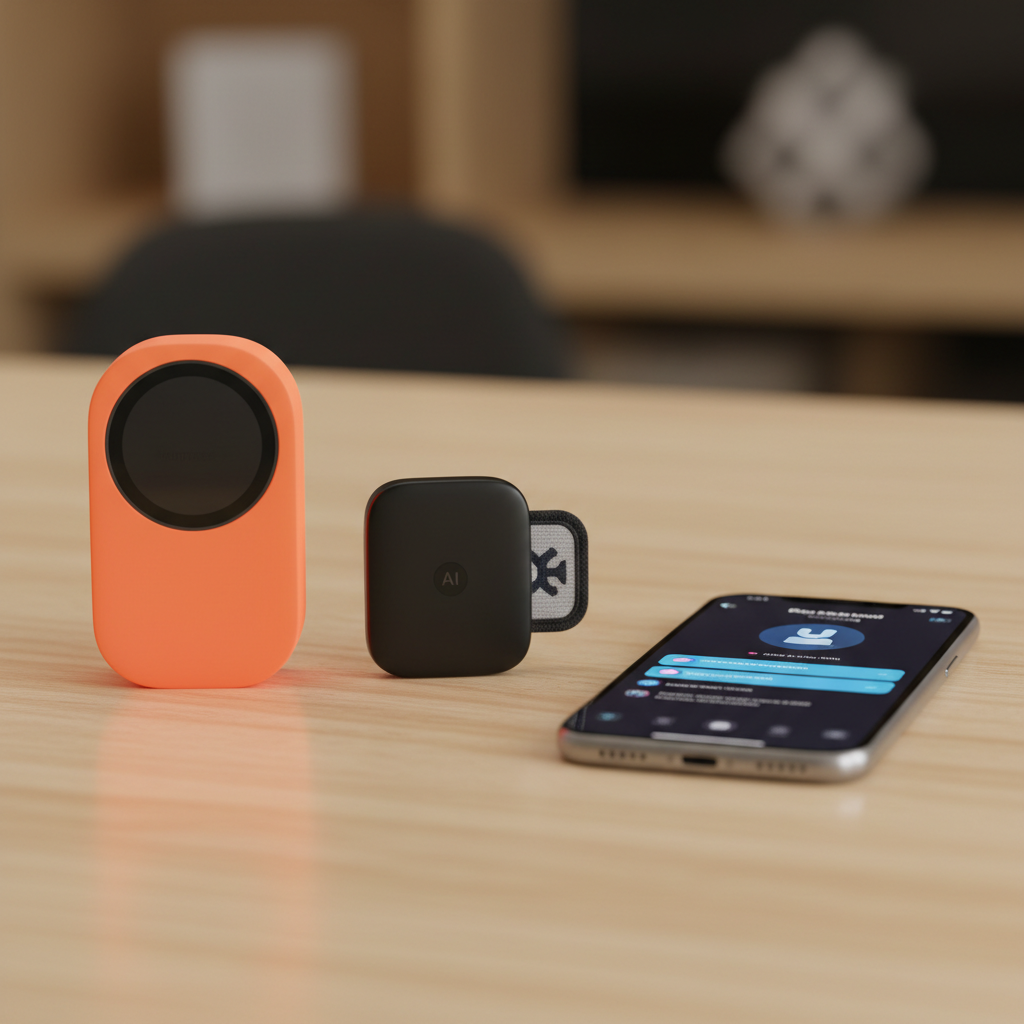
To understand the failure or success of AI wearables, we have to look closely at the current market leaders. On one side, we have the Humane AI Pin, a $699 wearable ($24/month subscription required) that uses a “Laser Ink Display” to project text onto your palm. On the other, the Rabbit R1, a $199 bright orange box with a scroll wheel and a rotating camera designed to learn your apps through a “Large Action Model” (LAM).
Standing against them is the iPhone 15 Pro and the upcoming suite of AI-integrated smartphones. With the release of Apple Intelligence and refined apps like ChatGPT, Perplexity, and Claude, the smartphone has transformed from a passive portal into an active AI companion. This isn’t just a battle of gadgets; it’s a battle of form factors versus established utility.
Latency: The Silent Killer of Hardware
When you ask a dedicated AI wearable a question, the request usually travels a long road. It goes from your voice to the device, through a cellular network to a cloud server, through an LLM, back down the network, and into your ear. In real-world testing, the Rabbit R1 often takes 5 to 10 seconds to respond to a basic query. The Humane Pin can be even slower, sometimes overheating during the process.
Compare this to an iPhone running the ChatGPT app. With 5G and optimized local processing, the response is nearly instantaneous. The friction of waiting 8 seconds to find out who won the 1994 World Series makes the dedicated device feel like a step backward. In the world of tech, friction is the ultimate deterrent of habit formation.
Why the Smartphone App is Winning the AI War
The smartphone has three unfair advantages that hardware startups simply cannot replicate in their first iteration: battery life, thermal management, and the screen.
The Problem With “Screenless” Design
The Rabbit R1 and Humane Pin were marketed as a way to reduce screen time. However, humans are visual creatures. We process information much faster by scanning a list of results on a screen than by listening to a synthetic voice drone on. When you use the best online tools for productivity, you need to see the data to manipulate it. Trying to book a flight or order a pizza via voice-only is a nightmare because you can’t verify the specifics—arrival times, toppings, or prices—without a visual interface.
Thermal Throttling: A Physics Problem
High-speed AI processing generates heat. A smartphone has a relatively large surface area to dissipate that heat. A tiny pin clipped to your shirt does not. During heavy use, specialized AI wearables often throttle their processors to keep from burning the user or damaging internal components. This leads to the “processing… please wait” loops that have plagued early adopters. The iPhone’s silicon is specifically designed to handle these bursts of heavy compute without breaking a sweat.
Software Accessibility vs. Hardware Ownership
Think about the best websites for daily use. Whether it’s Google Maps, Spotify, or your email provider, these services are built for browsers and apps. For an AI wearable to work, it has to “wrap” these services. Rabbit tried to do this with their Large Action Model, essentially using a “cloud phone” to log into your Spotify account and press buttons for you. It’s an elegant idea that has proven fragile in practice. If Spotify changes its UI, the AI “breaks.”
Conversely, native apps on the iPhone have direct API access. They are stable, fast, and secure. For students looking for online tools for students, an app like Perplexity on an iPad offers a multi-window experience where they can research, write, and cite sources simultaneously. A voice-activated pin can’t help you write a 1,500-word essay on the fall of Rome.
Can AI Wearables Be Repurposed?
Are these devices destined for the junk drawer? Not necessarily. The failure of the current “Phone Replacement” model suggests a pivot is necessary. Instead of trying to be everything, AI hardware needs to be something specific.
- Smart Glasses: Companies like Meta with their Ray-Ban glasses are seeing more success. Why? Because the form factor adds something the phone lacks: a first-person perspective camera that can see what you see in real-time.
- Health Monitors: Dedicated hardware that uses AI to analyze biometrics 24/7 is far more useful than a device that just summarizes emails.
- Professional Audio: Portable AI recorders that can transcribe and summarize meetings in real-time are becoming online tools for business that actually provide ROI.
The Cost Factor
The price of entry for dedicated hardware is a major hurdle. You are paying $200 to $700 for a device that performs a subset of the tasks your $800 phone already does. When you consider that most of the free online tools provided by Google and Microsoft are already integrating AI, the value proposition for a separate subscription-based gadget becomes nearly impossible to justify for the average consumer.
A Performance Review: Head-to-Head
Let’s look at a common scenario: Planning a dinner.
The Rabbit R1 Experience: You hold the button and say, “Find a highly-rated Italian restaurant nearby and book a table for two at 7 PM.” The device whirls. It searches. Sometimes it tells you it can’t find your location. Sometimes it finds a place but can’t access the booking system. It feels like magic when it works, but it only works 30% of the time.
The iPhone (ChatGPT/OpenTable) Experience: You open a single app. You see the menu, the photos of the pasta, and the available time slots. You tap once. Done. Total time: 15 seconds. The visual confirmation provides peace of mind that a voice response cannot.
The Future: Integration, Not Separation
The “Failure” of AI wearables is perhaps better described as the “Maturity” of the smartphone. We are realizing that the phone isn’t the problem; the way we interact with it is. Instead of buying a new orange box, we might just need a better AI layer on our existing screens.
For those looking for efficiency, the useful websites list of 2024 doesn’t contain links to proprietary hardware portals; it contains links to API-driven services that live on our existing devices. The future of AI hardware likely isn’t a standalone device, but “pendants” or “earpieces” that act as high-quality sensors for the brain sitting in our pockets—the smartphone.
Final Verdict on the First Wave
The first wave of AI hardware was a noble attempt to break our addiction to distracting interfaces. However, by ignoring the utility of the screen and the raw power of established mobile processors, these devices have become expensive curiosities rather than essential tools. For now, if you want the best AI experience, invest in a premium smartphone and curate a collection of the best online tools via native apps. The hardware revolution isn’t coming for your pocket yet—it’s still struggling to stay connected to the Wi-Fi.
We are witnessing the growing pains of a new medium. Just as the Palm Pilot preceded the smartphone, the Rabbit R1 and the Humane Pin are likely the messy, flawed ancestors of a future technology we haven’t quite perfected. But for today’s consumer, the choice is clear: stick to the software. Your phone is already the smartest piece of AI hardware you own.
Frequently asked questions
What is dedicated AI hardware?
Dedicated AI hardware refers to standalone devices designed specifically to run large language models (LLMs) and voice assistants, often replacing or supplementing a smartphone screen with voice and camera-based interactions. Examples include the Rabbit R1 and Humane AI Pin.
Is an iPhone app better than an AI wearable?
Currently, iPhone apps like ChatGPT and Perplexity offer faster processing, better battery life, and more reliable connectivity than specialized AI pins or handhelds. The existing hardware ecosystem of the smartphone makes it a superior host for AI software.
Why did the early reviews for the Humane AI Pin and Rabbit R1 struggle?
Common complaints include poor battery life, overheating, slow response times, and difficulty performing tasks that require visual confirmation, such as editing text or reviewing photos.
Will AI wearables ever replace phones?
AI hardware may evolve into ‘ambient computing’ where sensors are embedded in glasses or earbuds, providing a hands-free experience that smartphones cannot easily replicate, but the current generation of standalone pins is struggling to find a niche.