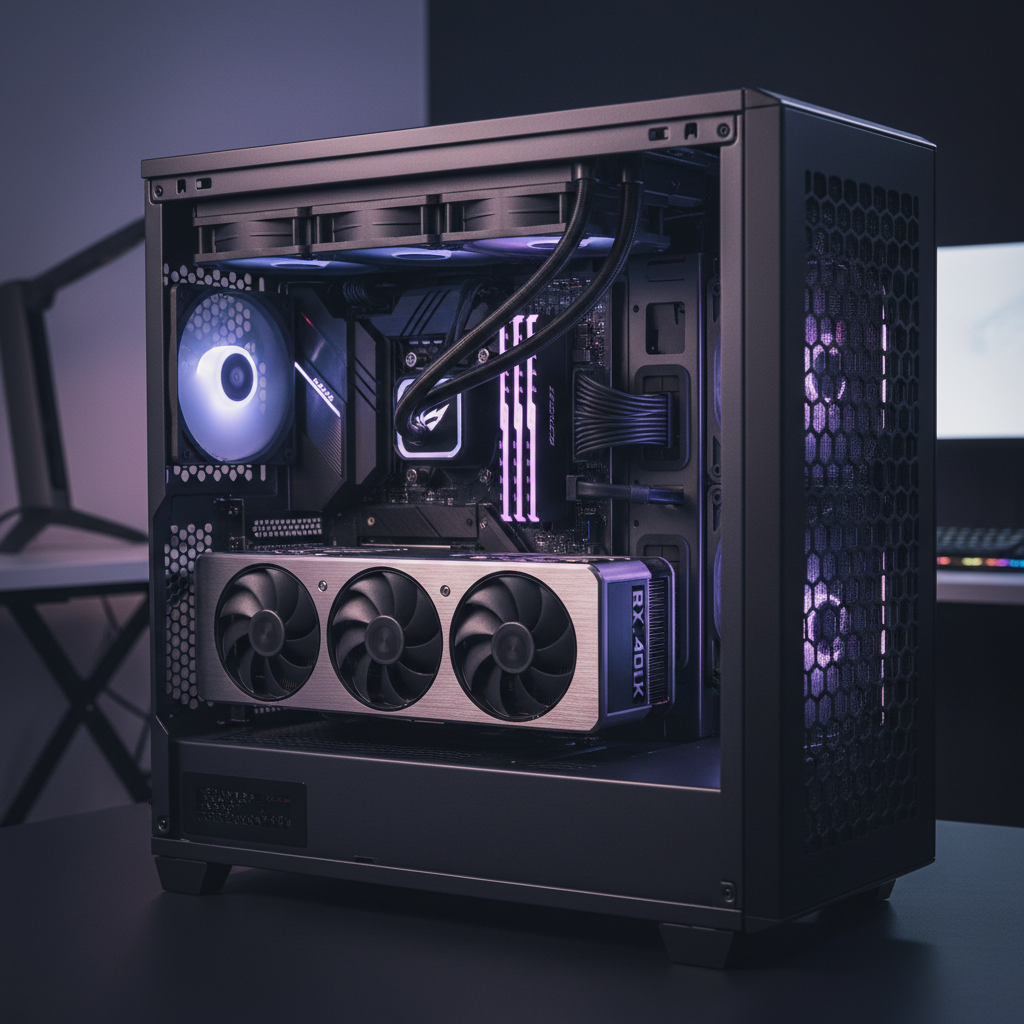
The Rising Temperature of Innovation
Hardware enthusiasts have hit a crossroads in 2024. We are witnessing a monumental shift in how much power our PCs consume and, consequently, how much heat they dump into our rooms. Ten years ago, a 250-watt GPU was considered a monster. Today, an NVIDIA GeForce RTX 4090 can easily pull 450 watts or more during peak gaming sessions. When you pair that with a flagship Intel Core i9 or AMD Ryzen 9 processor, you are looking at nearly 700 to 800 watts of heat energy concentrated in a small metal box. This reality has sparked a fierce debate: is it finally time to ditch the giant metal fin-stacks of air cooling and go full liquid?
The short answer isn’t a simple yes or no. It depends on your tolerance for noise, your case’s physical dimensions, and whether you are chasing every last frame of performance. Liquid cooling has transitioned from a niche enthusiast hobby to a mainstream necessity for certain hardware configurations. But air cooling isn’t dead—it’s just being forced to adapt to a much harsher environment.
Understanding the Heat Output of the RTX 40-Series
The NVIDIA 40-series, specifically the RTX 4080 and 4090, utilizes the Ada Lovelace architecture. While incredibly efficient for the performance they deliver, the raw power draw is undeniable. These cards come with massive triple-slot or even quad-slot coolers designed to dissipate thermal energy. However, simply having a big heat sink on the GPU isn’t enough if that heat is just swirling around inside your case.
One of the most significant changes in the 40-series design is the “flow-through” cooling system. These cards push a massive amount of hot air directly through the back of the PCB and upward—often right into the path of your CPU cooler. If you are using a traditional air cooler on your CPU, it is now sucking in pre-heated air coming off your GPU. This creates a thermal bottleneck that was much less pronounced in previous generations.
When planning your build, you can use a useful websites list to check the total estimated wattage of your components. If your build exceeds 600W of total power draw, your strategy for thermal management needs to be your top priority, not an afterthought.
The Case for Liquid Cooling: More Than Just Aesthetics
All-in-One (AIO) liquid coolers have become the gold standard for high-end builds for a reason. A 360mm or 420mm radiator provides a much larger surface area for heat dissipation than even the largest air coolers, like the legendary Noctua NH-D15. But the real advantage isn’t just surface area; it’s thermal mass and heat placement.
Liquid is far more efficient at moving heat away from a source than metal pipes alone. By using an AIO, you are effectively moving the heat “problem” from the center of the motherboard to the edges of the case. By mounting a radiator at the top or front, that heat can be exhausted directly out of the chassis. This keeps the ambient temperature inside the case lower, which helps the VRMs, M.2 SSDs, and the GPU stay within their optimal operating ranges.
For students or professionals who use their machines for heavy rendering or AI workloads, liquid cooling offers a “noise-to-performance” ratio that air cooling can’t match. When a CPU is pinned at 100% for hours, an AIO can maintain lower RPMs on the fans, preventing your PC from sounding like a vacuum cleaner. While searching for the best online tools for productivity, don’t forget that a quiet environment is often the most important tool for focus.
Is Air Cooling Still Viable for High-End Power?
Despite the trend toward liquid, there is still a strong argument for air cooling in 2024. Reliability is the primary factor. An air cooler has one moving part: the fan. If the fan dies, you spend $20 and five minutes to fix it. If an AIO pump dies, the entire unit is usually e-waste. For a reliable workstation or a “set it and forget it” gaming rig, air cooling remains king of longevity.
However, if you choose air cooling for a 4090 build, you must be extremely picky with your case. You need a chassis with high-airflow mesh panels and enough internal volume so that the heat from the GPU doesn’t suffocate the CPU. Cases like the Fractal Design Torrent or the Lian Li Lancool III are specifically designed for this type of high-wattage air cooling. These cases move so much air that they can mitigate the thermal soak that usually kills performance in smaller builds.
Optimizing Airflow Configurations for 2024
Whether you choose air or liquid, the configuration of your fans is what makes or breaks your thermals. In the 40-series era, we have to account for “blow-through” GPU coolers. Here are the three most effective configurations for modern high-end builds:
1. The “Standard” Positive Pressure Setup
This involves three 120mm or 140mm fans as front intake and one rear exhaust. This setup is great for dust control because it forces air out of every small crack in the case. However, with a card as powerful as the 4080 Super, this setup can sometimes lead to a “heat pocket” underneath the GPU. To fix this, many modern cases now include bottom-mounted fans that blow fresh air directly into the GPU intake fans.
2. The Top-Mounted AIO Exhaust
This is arguably the best setup for a gaming-heavy build. By mounting a 360mm radiator to the top of the case as an exhaust, you ensure that the hottest air in the system (rising from both the CPU and the GPU) is immediately removed. While the AIO is technically using slightly warmer air to cool the radiator, the overall system temperatures usually benefit from the rapid exhaust of heat.
3. The Front-Mounted AIO Intake
This configuration prioritizes the CPU above all else. By pulling fresh, cool air from outside the case directly through the radiator, your CPU will see its lowest possible temperatures. The downside is that the air entering the case is now pre-heated, which can raise GPU temperatures by 3 to 5 degrees Celsius. If you are a video editor or coder looking for online tools for students that require heavy compilation, this might be your preferred setup to keep those CPU clocks as high as possible.
The “Hidden” Thermal Factor: The Power Supply
We often talk about fans and liquid, but the Power Supply Unit (PSU) is a massive contributor to heat in 2024. The new ATX 3.0 and 3.1 standards are designed to handle the massive power spikes of the NVIDIA 40-series. A PSU running at 90% load will generate significantly more heat than one running at 50% load. Moving to an 80-Plus Gold or Platinum 1000W+ unit isn’t just about safety; it’s about efficiency and keeping the bottom of your case cool.
The Verdict: Is Liquid Cooling Mandatory?
If you are running an Intel i9-14900K or a Ryzen 9 7950X3D, liquid cooling is not “mandatory” in a legal sense, but it is effectively mandatory if you want to avoid thermal throttling under heavy loads. These chips are designed to boost until they hit their thermal ceiling—usually 90 or 100 degrees Celsius. An air cooler will hit that ceiling much faster, meaning you are leaving performance on the table that you paid for.
For the RTX 4090, the card itself doesn’t need to be liquid-cooled. Its massive stock air coolers are actually quite over-engineered. The “mandatory” part of the equation is the case airflow. You cannot put these parts in a glass box with two fans and expect them to survive for five years. You need a strategic plan for how air enters and exits.
When building your next rig, don’t just look at the raw specs. Consider the thermal environment. Use free online tools like fan curve software (e.g., Fan Control) to fine-tune your acoustics once the build is done. If you’re building for business and need maximum uptime, look into online tools for business that monitor hardware health remotely. Thermal management isn’t just about staying cool; it’s about protecting the longevity of your hardware investment.
Ultimately, the move toward liquid cooling in 2024 is driven by the physics of power density. As chips get smaller and power draws get higher, we need more efficient ways to move that heat. While air cooling maintains its place for mid-range builds and reliability-focused workstations, the flagship experience is now firmly in the territory of liquid. If you are dropping $3,000 on a PC, don’t let 50 cents worth of thermal paste and an undersized air cooler be the weak link in your system.
Frequently asked questions
Is air cooling completely obsolete for i9 or Ryzen 9 CPUs?
No, high-end air coolers like the Noctua NH-D15 can still handle many flagship CPUs, but they may result in higher noise levels and less boosting headroom compared to a 360mm AIO.
What is the best airflow direction for a liquid-cooled PC?
For most modern high-end builds, a ‘Front/Side Intake, Top/Rear Exhaust’ setup is ideal. This ensures fresh air reaches the GPU while the heat from the radiator is pushed out of the top.
How long do liquid coolers last compared to air coolers?
An AIO (All-In-One) pump generally lasts between 3 to 7 years. Air coolers can last decades, usually only requiring a fan replacement if a bearing fails.
Is liquid cooling dangerous for my other components?
While rare in modern AIOs, leaks can happen. However, most reputable manufacturers offer warranties that cover damage to other components if the unit fails within the warranty period.